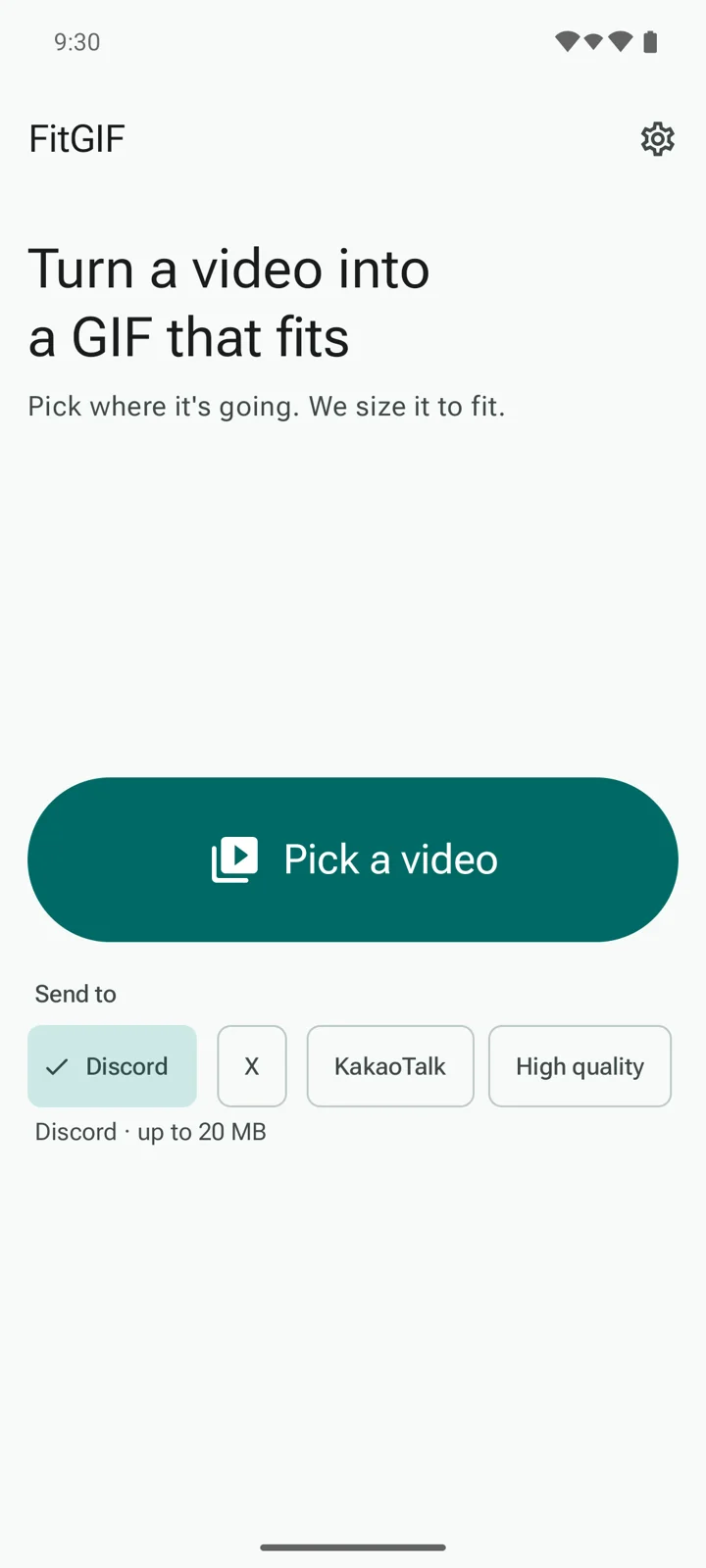
FitGIF turns a video from your phone into a GIF sized for where you are sending it, so you stop seeing "file too big." Pick a video, choose where it is going, tap Make GIF.
Coming soon on Google Play
Android 10 or later
No account, no sign-in
Your videos and GIFs stay on your phone
Sized for where it is going
Choose Discord, X, KakaoTalk, High quality (Pro), or your own limit.
FitGIF estimates the file size first and shrinks the GIF to fit.
A tight limit means lower picture quality. If a clip cannot fit, FitGIF tells you how short to trim it.
Know the size before you make it
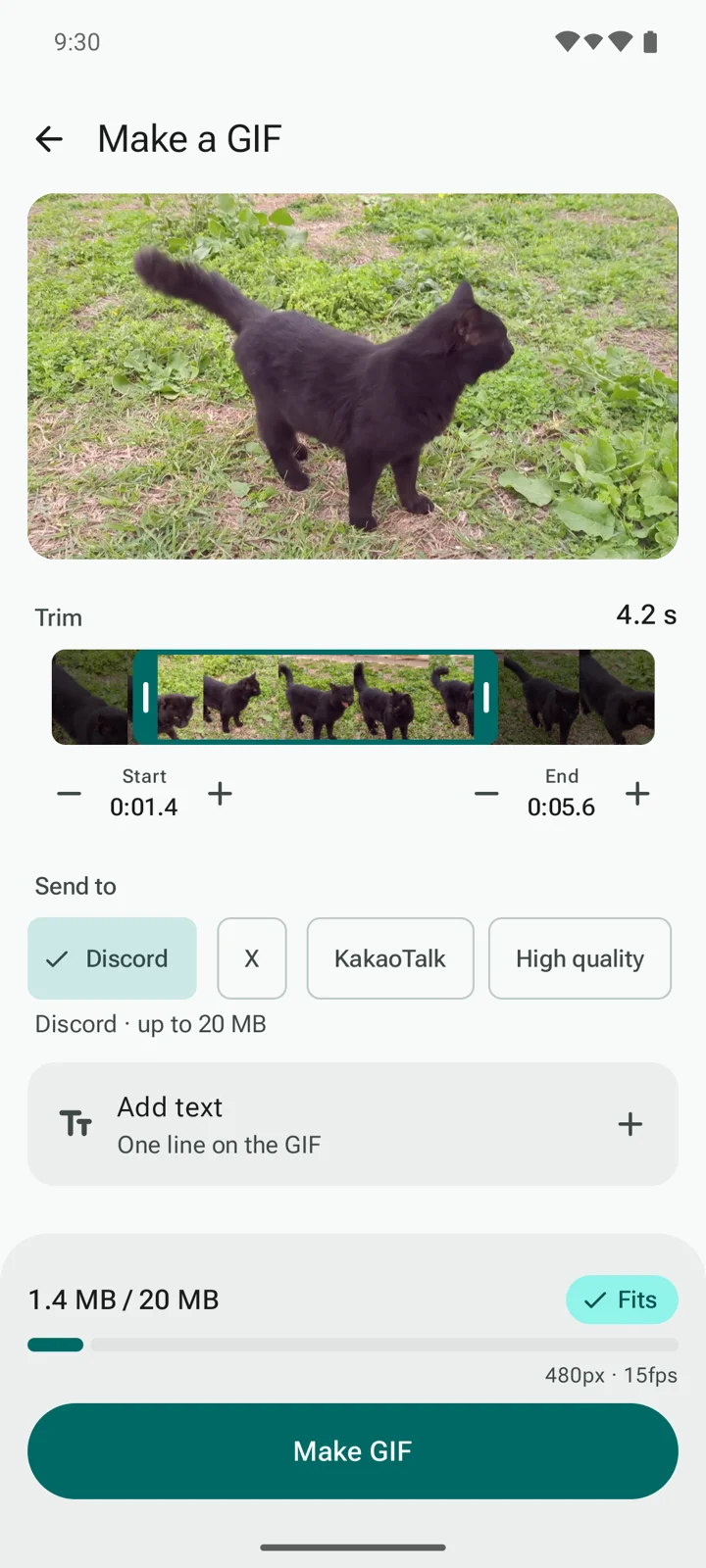
Drag the handles to trim the part you want, then fine-tune in 0.1-second steps.
A size gauge tells you Fits or Too big while you trim.
A free GIF can be up to 10 seconds long, or 20 seconds with Pro. Add one line of text if you like.
Save it or share it
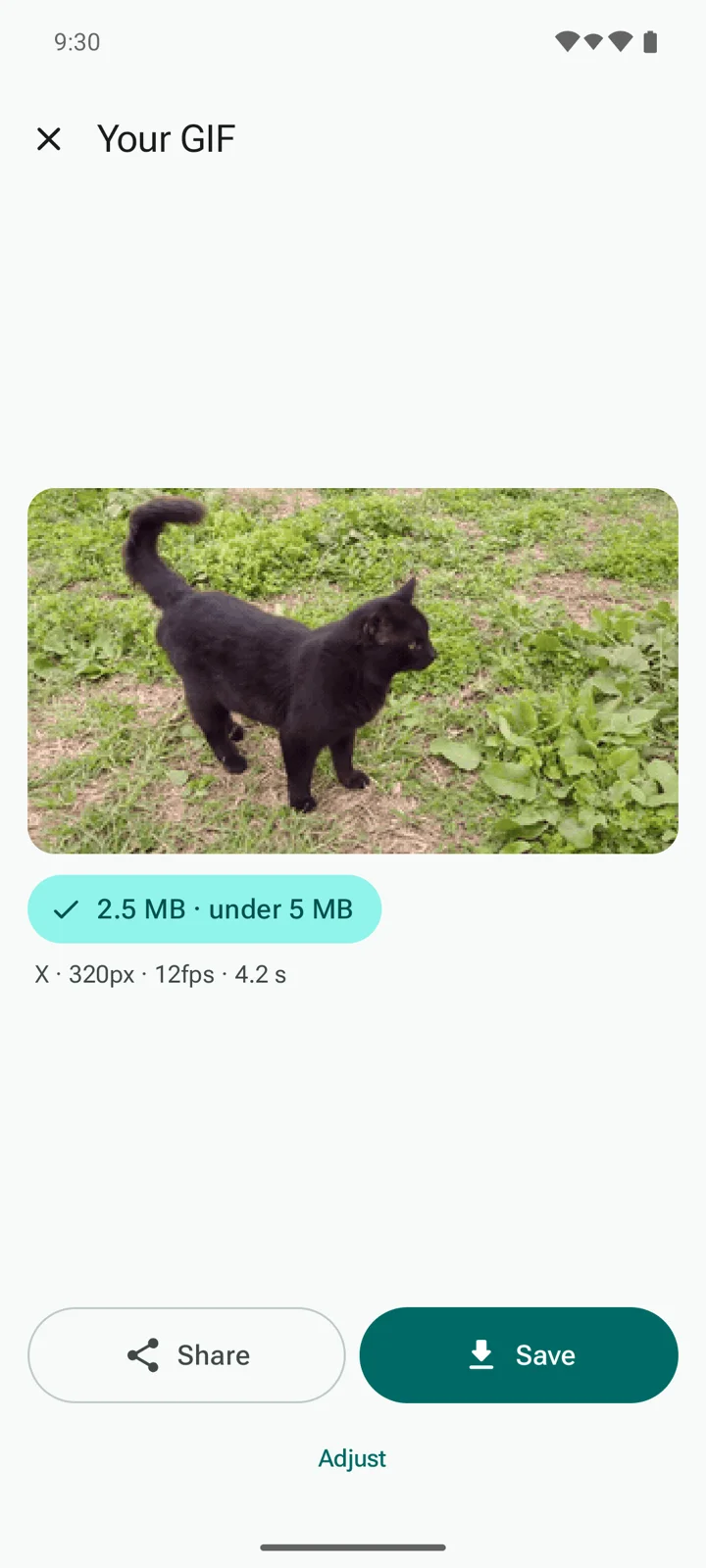
Save the GIF to your gallery or share it right from the result screen.
No watermark on any GIF.
Keep FitGIF open while it makes your GIF. If you leave the app, the job stops and you can start it again.
Screenshots
Pick a video. Pick where it is going.Know the size first.Save it or share it.
Pricing, plainly
Free
No watermark, no account. Free GIFs are standard quality and up to 10 seconds. The free version shows a small banner on the home screen and a short ad before it makes a GIF (your first GIFs skip this). It never shows ads while your GIF is being made.
Pro
A one-time purchase: no ads, high-quality output, and GIFs up to 20 seconds. No subscription.
No subscription. No recurring charges.
See the price in the app before you buy. It is shown in your local currency by Google Play.
Your purchase belongs to your Google Play account.
No. Your videos, text and GIFs stay on your phone. FitGIF sends your files to no server and does not ask for access to your photos or storage. It uses Android's system picker, so it only sees the video you choose.
My GIF still does not fit. What now?
A tight size limit means lower picture quality. If a clip cannot fit, FitGIF tells you how short to trim it. Other apps change their upload limits from time to time. We update our sizes when we learn of a change, but if a file is rejected, check the limit in the app you are sending to.
Are there ads?
Yes, in the free version. There is a small banner on the home screen, and the free version shows a short ad before it makes a GIF (your first GIFs skip this). There are no ads while the GIF is being made. Pro removes all ads with a one-time purchase. No subscription.
Why can't I open some videos?
Some videos use formats that certain phones cannot open. FitGIF requires Android 10 or later.
Need help?
Questions, or a GIF that will not fit? Tell us your phone model and Android version. We do our best to read and reply.
Your videos, text and GIFs stay on your phone. FitGIF has no account and sends your files to no server.
FitGIF does not ask for access to your photos or storage.
The free version shows ads from Google AdMob, which can use your device's advertising ID. Where required, the app asks for your consent first, and you can change your choice in Settings. Pro shows no ads.
Basic usage statistics help us fix problems. They never include your file names, videos or text.
Discord, X and KakaoTalk are trademarks of their respective owners. FitGIF is an independent app and is not made by, affiliated with, or endorsed by them.